
Ping measured by FACEIT. Not guessed.
Atlas sends no pings of its own. It shows the measurement FACEIT already makes in your browser — the one it uses to pick your server.
Learn more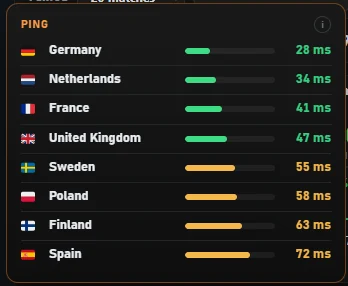

Atlas for FACEIT
Check your party’s stats, compare all ten players and prepare your map veto — directly inside FACEIT.
Free forever · No account · No ads or trackers
On your phone? Get the desktop install link
01 · Before you queue
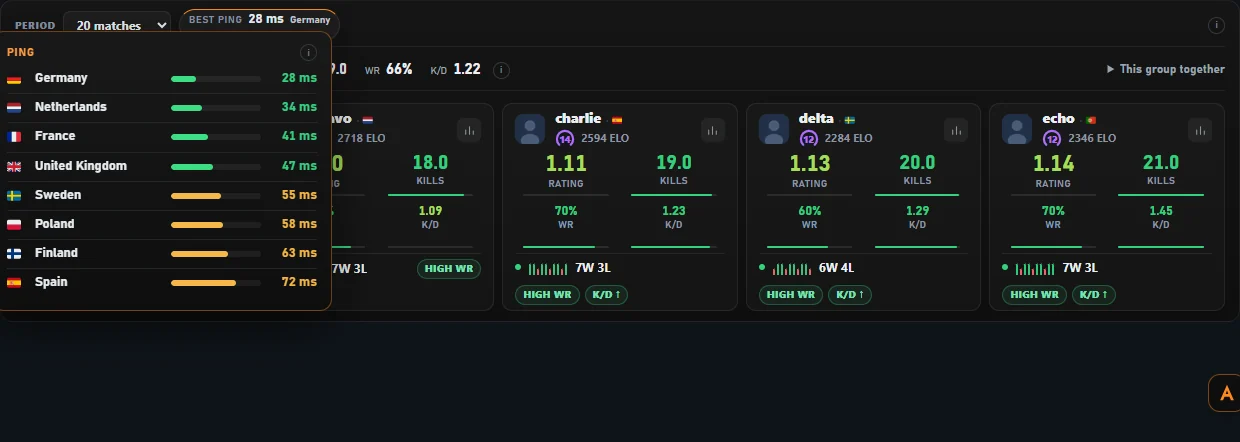
See your party’s recent form, rating and win rate together in the lobby. Get a feel for the team before you find a match.
The room opens
That's what FACEIT shows you. Until Atlas switches on.
From your match history
Median ELO gained and lost in your recent ranked matches. A historical reference, not a guaranteed result for this match.

The veto
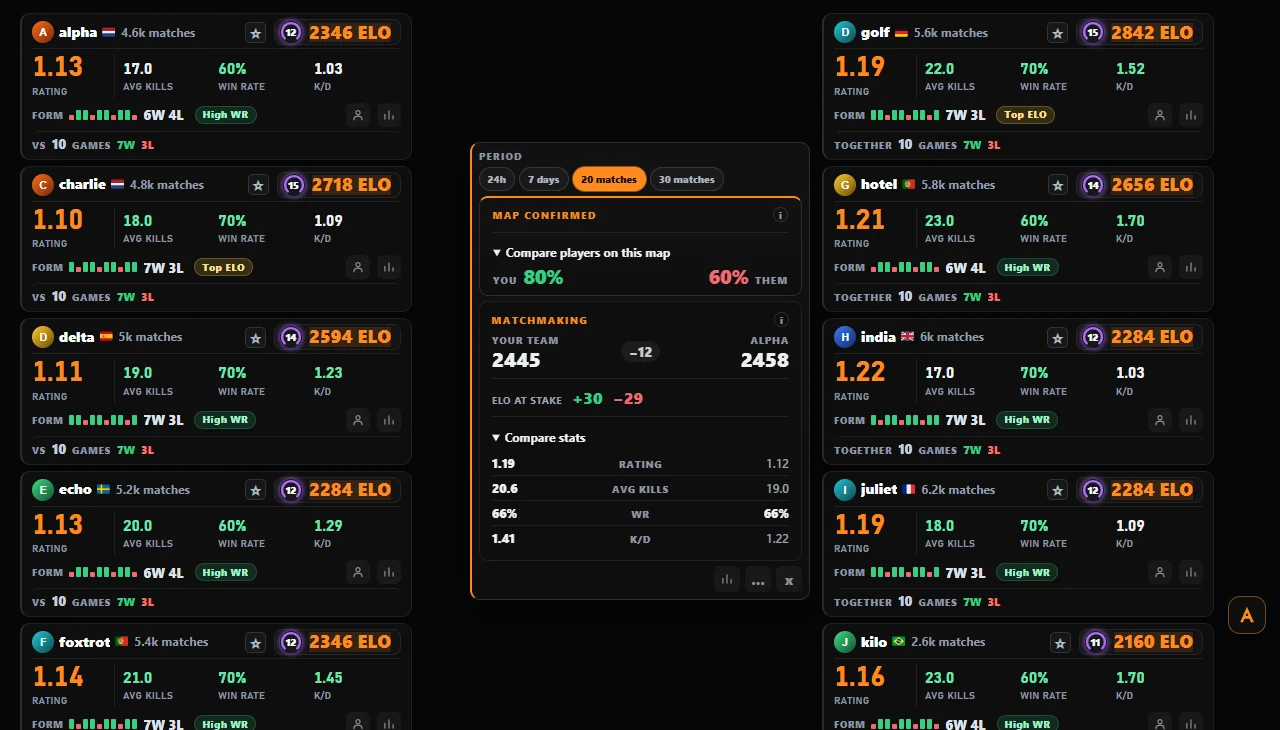
How both teams actually play every map in the pool — and a clear call when it's your turn.
Learn moreBan Anubis · keep Mirage
After the match



One more thing
Nine backgrounds for your FACEIT — or an image from your PC. Darkened so everything reads, and only on the pages you choose.
Atlas sends no pings of its own. It shows the measurement FACEIT already makes in your browser — the one it uses to pick your server.
Learn moreCompare both teams’ map win rates and get a suggestion when it’s your turn to ban or vote. Recent ELO gains and losses provide extra context.
Learn more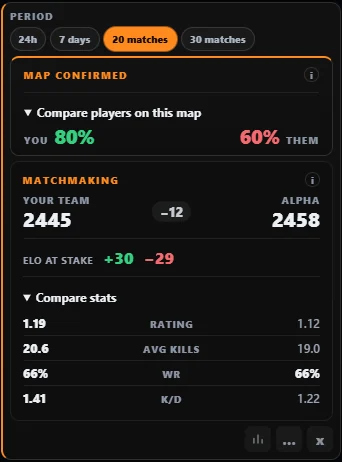
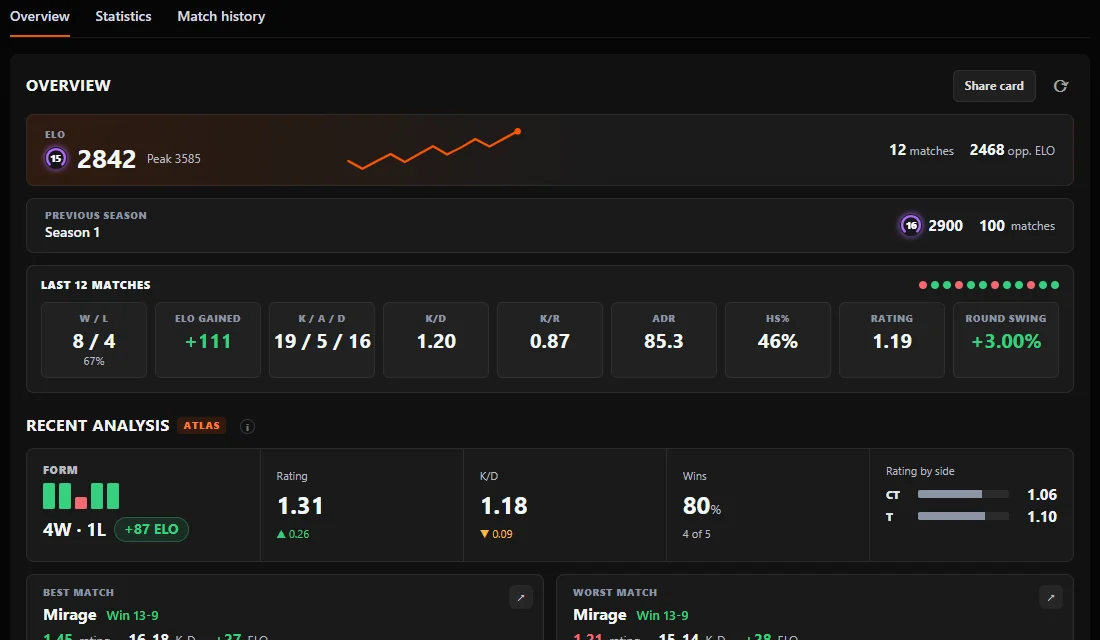
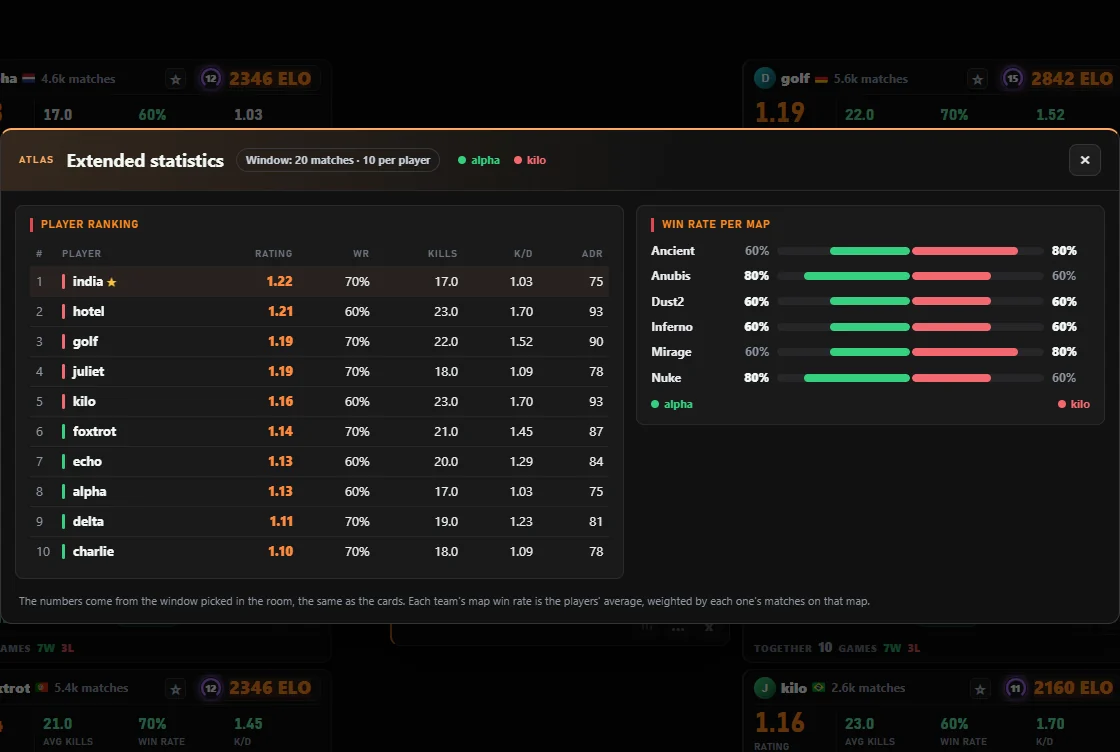
All ten players ranked, each team's win rate map by map, and a map radar.
Open any Steam Community profile and see the FACEIT CS2 account linked to it, with a link straight to it.
Learn more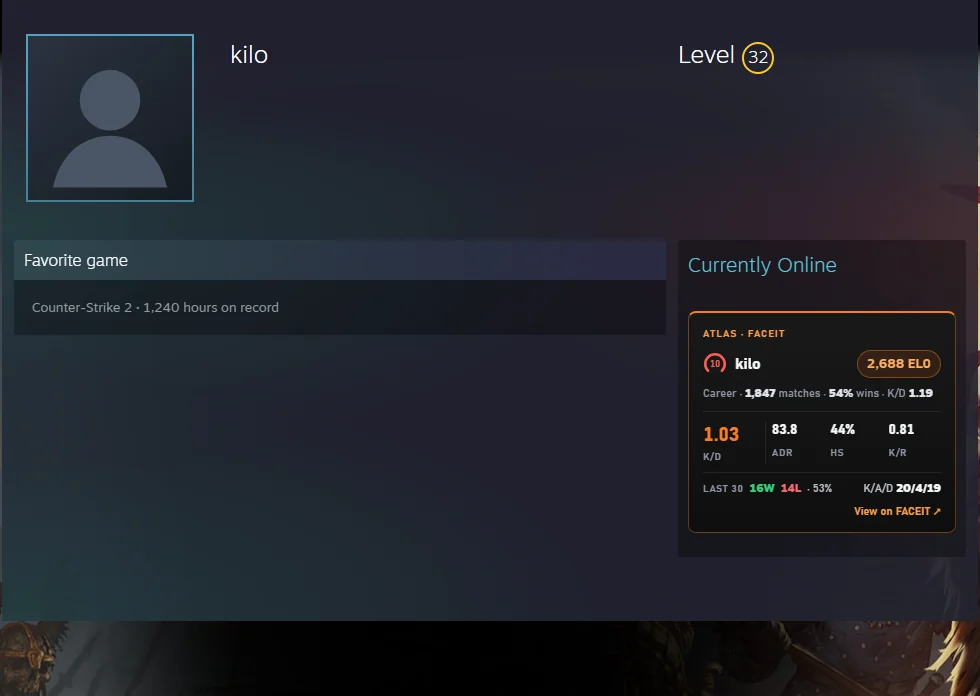
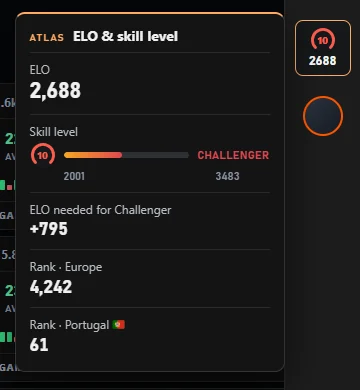
How far you are from Challenger, and your rank in your region and country.
Tag players, write notes and see who you've already played with. All of it stays in your browser.
Each one is off until you switch it on, and acts on the page exactly like your own click.
Four promises. The technical detail is in the full policy.
Atlas for FACEIT is a free Chrome extension for Counter-Strike 2 players on FACEIT. It adds real player stats, ELO at stake, map win rates and veto help, and FACEIT's own server ping to the match room, lobby and player profiles, and shows the FACEIT account behind a Steam profile.
It depends on what you want to see. Atlas is a free FACEIT extension focused on the match itself: real stats for all ten players, your teammates in the lobby before you queue, ELO at stake from your own matches, map win rates for the veto and FACEIT's own server ping. There's no paid tier, so the simplest way to decide is to try it in your next match.
Yes. No premium tier, no ads, no affiliate links. It's an independent project made by a FACEIT player.
Open the Chrome Web Store listing, click Add to Chrome and confirm. Then open FACEIT — Atlas appears by itself in the match room, the lobby and on player profiles. There's nothing to sign up for.
Yes. Atlas is built for Counter-Strike 2 on FACEIT: the match room, the matchmaking lobby and CS2 player profiles.
Atlas shows the median ELO gained in wins and lost in losses over your recent ranked matches, together with the sample size. These are historical values, not a prediction or guarantee of the ELO for your next match.
Atlas is a browser extension: it only runs on FACEIT web pages (and Steam profiles). It never touches CS2, your game files or the FACEIT anti-cheat client — it reads and adds to web pages, like any other extension.
No. Atlas for FACEIT is independent and not affiliated with FACEIT, Valve or Steam. It uses FACEIT's official public API.
No. Install it and open FACEIT. You can optionally tell Atlas your FACEIT nickname in the options so it always knows which team is yours.
From FACEIT itself: the official Data API, the match pages you already have open, and the ping measurement FACEIT makes in your browser. If FACEIT hasn't published a number, Atlas says so.
Chrome and any Chromium browser that installs from the Chrome Web Store, like Microsoft Edge, Brave, Opera and Opera GX.
Only from the official Chrome Web Store listing linked on this site. Chrome installs it and keeps it updated automatically. Don't install copies from other websites.
They're all off by default. When you switch one on, it clicks the same buttons you would on the FACEIT page — nothing more. You can turn each one off at any time.
No. The image is packed with the extension or stored in your browser, so there are no extra downloads — and it sits behind the page on its own layer.
Use the contact page: it opens an email with a short template (Atlas version, browser, page and what happened). Every report is read.

Install Atlas, open FACEIT and get to know your team before you queue.
Add to Chrome — freeFree forever · No account · No ads or trackers
Install on a computer using Chrome, Edge, Brave or another compatible Chromium browser.